


TL;DR: I’ve been heavily collaborating with AI via voice for over a year for research, writing, and brainstorming. AI is an incredibly patient listener—it never interrupts when I stutter or hesitate. But being chained to a desk kills my thinking flow (and destroys my lower back). After trying clunky off-the-shelf micro-pads that looked like raw PCB demos, I decided to DIY my own ergonomic, handheld AI voice controller. Here is why and how.
The “Socratic” Workflow: Walking, Thinking, and Talking to AI
Picture this: you’re deep in an AI brainstorming session—drafting marketing strategies, analyzing business data, or outlining your next article.
Over the past year, high-intensity voice interaction with AI has completely transformed how I work. What I love most is that AI is a remarkably patient listener. Even when I get stuck mid-sentence, fumble my words, or pause to think, AI waits patiently without rushing me. Surprisingly, practicing my thoughts out loud with AI has even improved my everyday human-to-human communication at work.
But then came the main pain point: being chained to a desk kills my creative thinking. My best ideas never happen when I’m staring at a monitor. Sitting for hours is also terrible for my lower back—I need to get up and walk around.
I wanted to pace around my study like a philosopher, dictating ideas on the go. But every time I needed to trigger a voice command, confirm a prompt, or switch contexts, I had to awkward-walk back to my desk. I didn’t need a heavy desktop keyboard. I needed a handheld gadget designed specifically for walk-and-talk AI collaboration.
The Search—and Disappointment—for Off-the-Shelf Vibe Devices
I started looking for existing micro-keypads on the market, testing several budget options like the Sikai keypad.
- The good: They worked out of the box via standard HID protocols. Plug-and-play, with zero driver setup required.
- The bad: The aesthetic and build quality were nowhere near what I wanted. Made of stacked acrylic sheets and bare PCB boards, they felt rough and looked like unfinished engineering prototypes rather than refined daily tools for AI interaction.
Crucially, not a single product I found was built to be held comfortably in one hand like a sleek voice recorder or a mini handheld game controller while walking. So, like any overly ambitious DIY hardware enthusiast with wild ideas, I decided to build my own.
Designing the Ultimate Handheld AI Controller
What makes a handheld voice device actually fun and useful for daily AI collaboration? It’s not just about triggering a microphone; it’s about tactile playfulness and physical feedback.
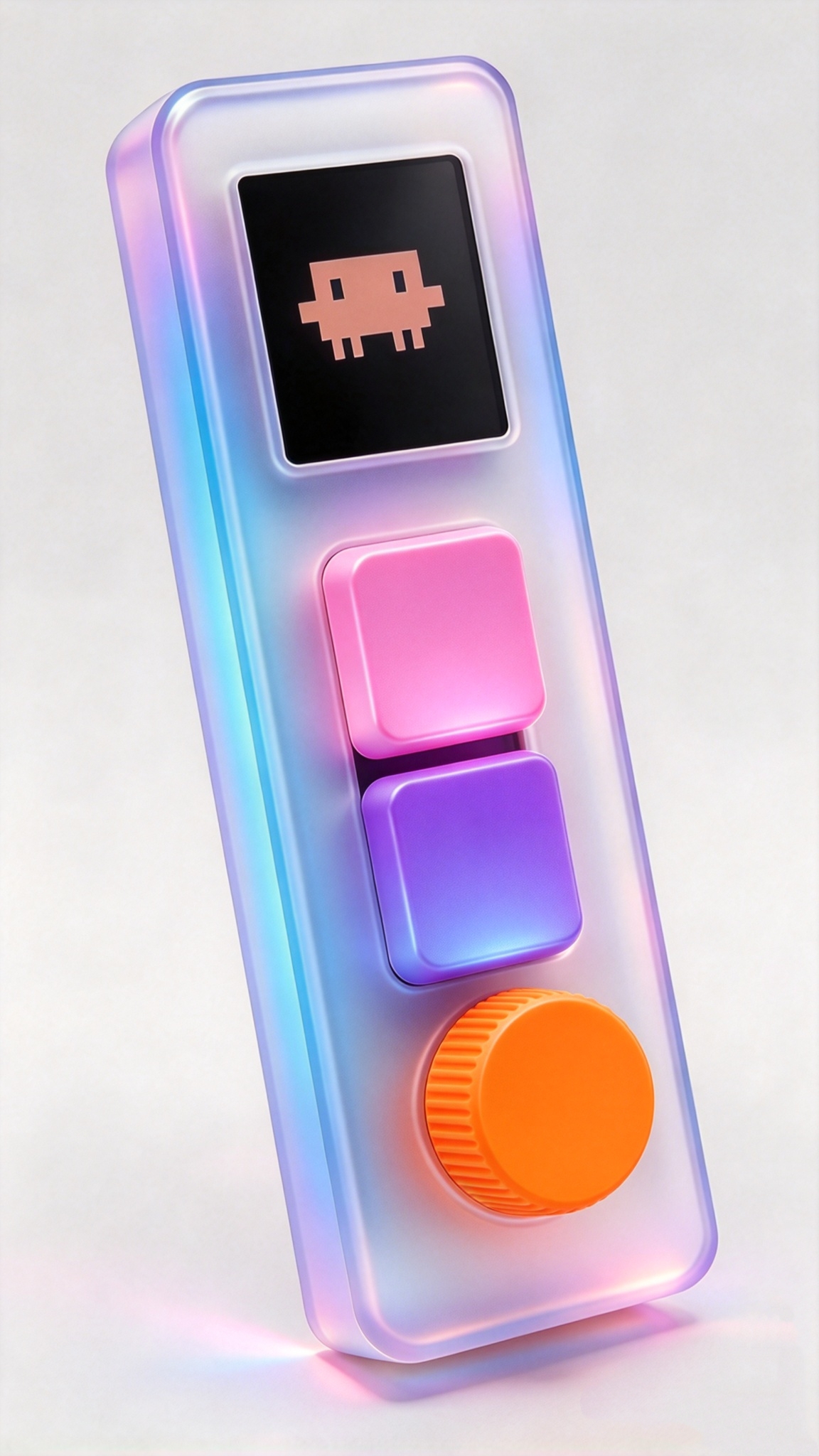
AI-generated product concept, not a finished prototype. The render explores the look and feel; the planned three-key layout and joystick below are still under development.
+-----------------------------------+
|     [ OLED / Status Screen ]      |
|  (Displays AI status & Battery)   |
+-----------------------------------+
|  (O) Joystick      (*) Dial       |
|  Window/Task     Reasoning Depth  |
+-----------------------------------+
|   [ Key 1: Push-to-Talk ]         |
|   [ Key 2: Approve / Accept ]     |
|   [ Key 3: Reject / Cancel ]      |
+-----------------------------------+
|  (RGB LED Bar - AI Vibe State)    |
+-----------------------------------+
These are planned interactions, not verified production specifications. Reasoning controls and status feedback will depend on companion-software integration with the AI workflow.
1. Essential Action Keys
- Key 1 — Voice: Push-to-talk or dictation toggle. Hold to talk, release to send.
- Key 2 — Approve: Accept AI outputs, confirm actions, or send replies without reaching for the mouse.
- Key 3 — Reject: Cancel an unwanted generation or clear the current input.
2. Tactile Controls for Deeper Interaction
- Thinking dial: A rotary encoder to adjust AI reasoning depth or scroll through context windows.
- Context thumbstick: A 5-way joystick to switch between workspace windows or AI task threads.
3. Ambient RGB Feedback
When pacing across the room, you don’t want to stare at your monitor. Customizable RGB LEDs provide instant visual status:
- 🟢 Solid green: Listening / ready
- 🟣 Breathing purple: AI is processing / generating
- 🟡 Pulsing yellow: Awaiting user input / approval
- 🔴 Flashing red: Error / interrupted
The 2-Week Sprint: From Initial Concept to Demo
I’ve already sketched out the industrial concept and hardware architecture. Now comes the hands-on engineering: designing an ergonomic handheld enclosure, integrating an embedded microphone, tuning low-latency wireless (2.4G / BLE), and choosing tactile switches with crisp feedback.
I’ve already 3D-printed a preliminary mock-up shell for fitting tests, but the internal hardware architecture still needs to be built from scratch. My goal is to assemble a fully working, polished demo within a 2-week sprint. This is a personal development goal, not a shipping or availability promise.
Final Thoughts
We spent decades optimizing desktop keyboards for manual typing. But in the era of voice-first AI collaboration, physical interaction should feel more natural, mobile, and engaging. A dedicated handheld AI controller isn’t just a productivity hack—it’s a delightful hardware toy that brings tactile fun back into our AI workflows.
I’ll be building in public and sharing my design and development progress along the way. Got cool ideas or suggestions? Jump into my Discord channel to hang out and chat.